
Video Meeting
Video Meeting and Conference AppCommunication
4.080.00 Reviews
- Version
- 15.0
- Installs
- 500.00K
- Age Rating
- Everyone
Screenshots

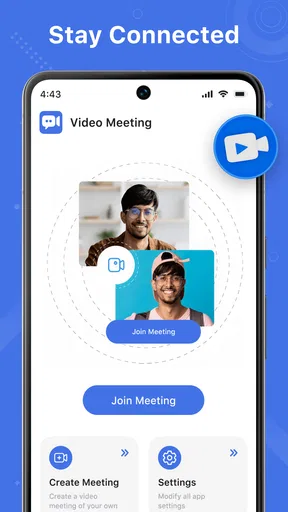


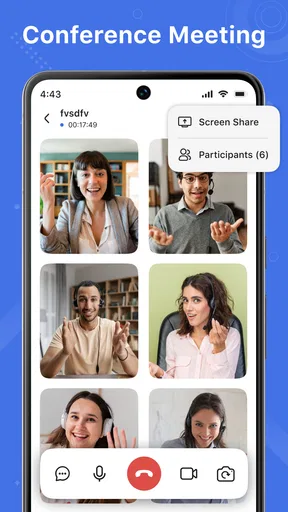
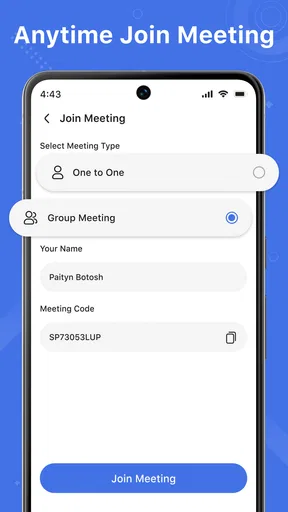
Our Review of Video Meeting
 Analysis by Appyee
Video Meeting caught my attention because it removes one familiar barrier from online calls: getting started. The communication app is free, rated for Everyone, and built around video meetings, webinars, and chat. In my first sessions, the most appealing part was not a flashy extra but the simple idea of joining a conversation without creating an account first. That makes it easy to recommend for a quick family call, a temporary study group, or a small team that needs to meet without adding another complicated service to its routine.
After spending time with it, though, I think the more important question is whether that first-week convenience turns into a dependable habit. Many meeting apps feel useful the first time because they solve an immediate problem. The real test comes later, when people have to remember how to join, decide whether the audio and video experience is comfortable enough, and work out whether the app fits the way they already communicate. Video Meeting has a clear place for lightweight conversations, but it is not automatically the best replacement for a mature workplace platform.
From an easy first call to a repeatable routine
The app comes from the developer Video Meeting and Conference App, and its current version is 14.0. It supports devices running Android 7.0 or later, which gives it a reasonably broad starting point for people using older phones or tablets. I would still advise checking the device before arranging an important call, especially when inviting relatives or colleagues who may not update their hardware often.
During the first week, the no-signup approach is the feature I noticed most. It lowers the amount of preparation needed before a meeting, particularly when the participants are not regular users of the same service. Someone can be told about a call and focus on reaching the conversation instead of first choosing an account name, creating a password, or finding a forgotten login. That small reduction in friction matters when the meeting is informal or time-sensitive.
It is especially useful in situations where the group changes from one call to the next. A volunteer coordinator might need to speak with different people, a tutor may meet a new student, or a family member may want to help someone with a phone problem. In those cases, an account-free starting point can be more valuable than a long list of advanced controls. I found the app easier to imagine as a practical meeting doorway than as a complete communications headquarters.
The first-week appeal also comes from its broad purpose. Video, webinars, and chat suggest that it is not limited to one-to-one calls. That makes it suitable for a small presentation, a discussion with several participants, or a conversation that moves between speaking and text. I would not choose it solely because of the word “webinar,” however. A webinar is not just a video call with more people; hosts often need careful audience management, presentation controls, recording workflows, and follow-up tools. Anyone planning a formal public event should test the exact meeting setup with the intended audience before relying on it.
One practical habit helped me judge the app more fairly: I treated the first call as a setup rehearsal rather than the real event. I checked how participants reached the meeting, whether everyone understood the chat area, and whether the microphone and camera behaved as expected. This is a better use of the app’s low entry barrier than assuming that a quick invitation guarantees a smooth group session. The lack of signup makes joining easier, but it does not remove the need for basic preparation.
The app’s store rating sits at 4.2 from around 500 ratings, and it has passed 100 thousand installs. Those figures suggest that it has attracted a real audience without making it a household default. I read that as a reason to try it for personal or small-group communication, not as proof that it will match the depth of the biggest meeting services. Its appeal is clearest when convenience matters more than a large ecosystem.
Where the first-week experience works best
I would start with a recurring but uncomplicated use case: a group of friends that wants a weekly video conversation without turning the process into a project. The organizer can keep the invitation instructions short, ask everyone to test their microphone before the first session, and use chat for a quick message if somebody is late. That workflow takes advantage of the app’s accessible entry point while avoiding unrealistic expectations about advanced event administration.
It can also suit a household that needs occasional help from someone in another location. A relative can join a call to explain a device setting, look at a document, or talk through a practical problem. In this situation, the value is not a permanent social network. It is the ability to create a shared visual conversation when a phone call would be too limited and a full account setup would be unnecessarily burdensome.
For a small independent group, the chat component can make the meeting less fragmented. A participant can use text to clarify a point without interrupting the speaker, or the organizer can post a short reminder during the session. I would keep important notes somewhere else, though. Chat inside a meeting is useful for immediate coordination, but it should not be treated as a carefully organized archive unless the group has verified how it wants to preserve and retrieve those messages.
What changes after the novelty fades
By the second or third week, the question becomes less about joining and more about repeatability. A meeting app earns a lasting place when the same people can use it without relearning the process each time. Video Meeting has a chance here because its purpose is easy to understand: open it for a video conversation, a webinar-style gathering, or chat. That clarity is helpful for families and informal groups that do not want to study a complicated interface.
Still, simplicity can become a limitation when the routine grows. A team that meets every day may eventually need more than the basic act of connecting. It may want a structured calendar, dependable participant roles, searchable conversation history, integrated files, or administrative oversight. I would compare those needs with the tools already attached to the team’s email, calendar, or project system before moving everyone to a separate app.
This is where Video Meeting differs from the usual alternatives. Large established platforms often win through integration: the meeting appears in a calendar, the same account works across several services, and coworkers already know where to find invitations and recordings. Video Meeting’s advantage is a lighter starting point, particularly when participants do not share an existing account system. Its trade-off is that the surrounding organization may be less automatic for a group with complex processes.
For month-to-month use, I would create one consistent invitation routine. Use the same wording each time, tell participants whether they should join with camera or microphone enabled, and decide in advance whether chat is for questions, attendance, or casual comments. These small rules matter because the app cannot create a meeting culture by itself. A clear human routine is what turns a convenient tool into a dependable one.
Another useful test is to ask whether the app remains valuable when the group is not meeting. If the main need is a weekly call, that may be enough. If the group expects ongoing messages, document exchange, reminders, and project coordination, a dedicated collaboration platform may offer better long-term value. Video Meeting can be part of that arrangement, but I would not assume that one communication app should handle every layer of group work.
The maintenance it asks from users
The maintenance burden appears modest for casual users, but modest does not mean zero. The app is free, which makes experimentation easy, yet the organizer still has to keep the meeting instructions current, remind people where to join, and make sure the chosen device is ready. A free tool can consume time if every session begins with troubleshooting.
I recommend a short pre-meeting checklist for recurring calls. Confirm the meeting time, open the app early enough to check the microphone, close distracting applications, and keep a backup way to contact the group if someone cannot enter. This is not a criticism unique to Video Meeting; it is simply the practical cost of relying on live video. The app’s no-signup convenience reduces account maintenance, but it cannot prevent camera, network, or device problems.
Updates deserve attention as well. The version shown is 14.0, so I would keep the app reasonably current rather than installing it once and forgetting it for months. A meeting tool is part of a chain involving the operating system, camera, microphone, and network. Keeping only one part of that chain untouched can create avoidable surprises. For an important webinar or appointment, I would run a short rehearsal after an update instead of discovering a change when the audience is already waiting.
There is also a social maintenance issue. When joining does not require an account, participants may treat the meeting as disposable. That is convenient for a one-off call, but recurring groups need a stable process for invitations, names, attendance, and follow-up. I would assign one person to manage the routine and another person to help late or less confident participants. This prevents the organizer from spending the whole meeting acting as technical support.
Privacy and access should be considered in ordinary, practical terms. Because the app is designed for easy connection, I would share meeting details only with the intended participants and avoid posting invitations publicly unless the event truly is open. For sensitive professional discussions, I would first compare the app’s available controls with the organization’s requirements. If the group needs formal governance, detailed access management, or a documented compliance process, a business-focused alternative may be the safer choice.
Where repeated use can become tiring
The biggest source of fatigue is not necessarily the number of features; it is the repeated effort around every live session. People have to remember the invitation, prepare their surroundings, manage their microphone, and stay attentive to a screen. If Video Meeting is used for every small exchange, the convenience of video can become a burden. I would reserve it for conversations where seeing faces, demonstrating something, or speaking with several people adds real value.
Long sessions can create another kind of friction. Video calls demand more attention than text, while chat alone may be too slow for a complicated explanation. A sensible workflow is to use the app for the part that benefits from live discussion, then move action items into the group’s normal note-taking or task system. This keeps the meeting from becoming the only place where decisions exist.
Participant confidence also affects the experience. Someone comfortable with video calls may find the entry process straightforward, while a less experienced user may still need help with camera permissions, audio selection, or joining at the right time. The app’s simple premise does not guarantee that every participant will feel comfortable immediately. A short written instruction with plain language is more useful than assuming that everyone understands meeting terminology.
For webinars, fatigue can affect both the host and the audience. The host needs a clear agenda and a plan for questions; the audience needs a reason to stay engaged. I would keep the session focused and use chat deliberately rather than allowing it to become a second, distracting conversation. If the event depends on polished production, audience analytics, or sophisticated moderation, I would choose a specialist webinar service instead.
There is also a comparison problem. The largest alternatives benefit from familiarity: many people already have the application installed, know how invitations work, and trust the surrounding account system. Video Meeting has to justify itself through lower friction and a straightforward purpose. If your friends, school, or workplace already uses another platform successfully, switching may create more confusion than value. The app is strongest when it removes a barrier that the existing option has made inconvenient.
Who should keep it in regular rotation
I see the best long-term fit in individuals and small groups that want a simple way to meet without building a large account-based workflow. Families, informal clubs, independent tutors, community organizers, and temporary project groups may appreciate the ability to connect quickly. The Everyone age rating also makes it broadly approachable, although adults should still guide younger participants during unfamiliar online meetings.
It is a good candidate for a secondary meeting tool when the main service is unavailable, too complicated for occasional guests, or tied to an account that some participants do not have. Keeping it installed can make sense if you regularly speak with changing groups and value a short path into a call. The app does not need to replace every other communication service to be useful.
I would be more cautious about using it as the central system for a large company, a heavily documented project, or a formal public event. Those situations often depend on administration, records, integrations, and predictable support processes. If those requirements are central to your work, the usual enterprise meeting platforms are likely to be a better fit even if they take longer to set up.
I would also skip it if your communication is mainly text-based and asynchronous. Installing a video meeting app does not improve a conversation that would be clearer as a message or shared document. Likewise, if your contacts already have a strong habit around another service, the switching cost may outweigh the benefit of avoiding signup. The right choice depends less on the app’s general promise than on the people you need to reach.
My long-term verdict
After the first-week novelty, Video Meeting remains useful because its central benefit is practical rather than decorative. It gives me a low-friction option for live conversations, and the combination of video meetings, webinar-oriented use, and chat covers more than a basic one-to-one calling tool. The free price makes it easy to test with a small group, while support for Android 7.0 and later helps it remain accessible on a range of devices.
Its lasting value depends on keeping the scope realistic. I would use it for recurring personal calls, small-group discussions, temporary collaborations, and straightforward online gatherings. I would not force it into the role of a full office suite, a permanent project archive, or a polished event-production platform. That distinction is important: the app becomes more satisfying when I ask it to solve the problem it is best suited to solve.
My recommendation is therefore positive but selective. Install it if you want an approachable communication option and your meetings do not require a deep administrative ecosystem. Build a small routine around invitations, audio checks, chat etiquette, and follow-up notes, and the app can earn a regular place on your device. If your group already depends on a mature alternative or needs advanced organizational controls, stay with that service instead.
Video Meeting earns lasting space when convenience is the goal, not when complexity is. I would keep it available for the moments when creating an account feels like unnecessary work and a live visual conversation is genuinely helpful. That is a narrower role than “the only meeting app you need,” but it is also a more honest and sustainable reason to use it.
Privacy and Permissions
See what permissions an app requests and how it handles your data.
- Phone
- directly call phone numbers, read phone status and identity
- Camera
- take pictures and videos
- Microphone
- record audio
- Device ID & call information
- read phone status and identity
- Other
- view network connections, pair with Bluetooth devices, access Bluetooth settings, full network access, change your audio settings, run at startup, draw over other apps, control vibration, prevent device from sleeping, Google Play license check
Verdict
Strengths of Video Meeting
- Works smoothly on most Android and iOS devices.
- Simple interface makes joining meetings quick.
- Supports video, audio, and text communication.
- Useful for remote work, classes, and group discussions.
- Meeting links make it easy to invite other participants.
Limitations of Video Meeting
- Video quality depends heavily on your internet connection.
- Long meetings can drain battery and increase data usage.
- Some advanced features may require a paid plan.
- Background noise can affect call clarity without headphones.
- Privacy depends on the host’s meeting and recording settings.
Similar Picks in This Category
View All
Google Messages
Google LLC4.6

Gmail
Google LLC4.1

Google Meet
Google LLC4.4

Google Chrome
Google LLC4.1

WhatsApp Messenger
WhatsApp LLC4.6

Carrier Services
Google LLC4.2
Frequently Asked Questions
What is Video Meeting, and what can I use it for?
Video Meeting is a communication app designed for online video calls, virtual meetings, group conversations, and remote collaboration. After testing its main features, we found it useful for connecting with friends, classmates, coworkers, or clients without needing to meet in person. Depending on the version and platform, users may be able to create or join meeting rooms, use voice or video, exchange messages, and share content during a call.
Do I need to create an account to join a Video Meeting call?
Whether an account is required depends on how the meeting is organized and which version of the app you use. In many cases, participants can join through an invitation link or meeting code, while hosts may need to sign in to schedule and manage meetings. Before downloading, check the app’s current requirements, because guest access, registration options, and available features can vary between Android, iOS, and different service plans.
Does Video Meeting work well on Android and iPhone?
Video Meeting is intended for mobile devices, but the overall experience can depend on your phone model, operating system version, camera, microphone, and internet connection. On compatible Android and iOS devices, users can generally join meetings and communicate through video or audio. Older phones may experience slower performance, reduced video quality, or limited access to newer features, so keeping the app and operating system updated is recommended.
How much internet data does Video Meeting use?
Video calls usually consume considerably more data than text messaging or audio-only conversations. Video Meeting’s data usage will vary according to call length, the number of participants, video resolution, screen sharing, and network conditions. If you are using mobile data, it is wise to monitor your plan and switch off your camera when it is not needed. A stable Wi-Fi connection will normally provide a smoother call and help avoid unexpected charges.
Is Video Meeting safe and suitable for private conversations?
Video Meeting may include standard privacy and security controls, such as meeting links, access codes, participant management, microphone and camera permissions, and the ability to remove unwanted attendees. However, users should still avoid sharing sensitive information in an unsecured meeting and should only distribute invitations to trusted people. Review the app’s privacy policy and permissions before installation, and confirm whether recordings, shared files, or account information are stored by the service.
